
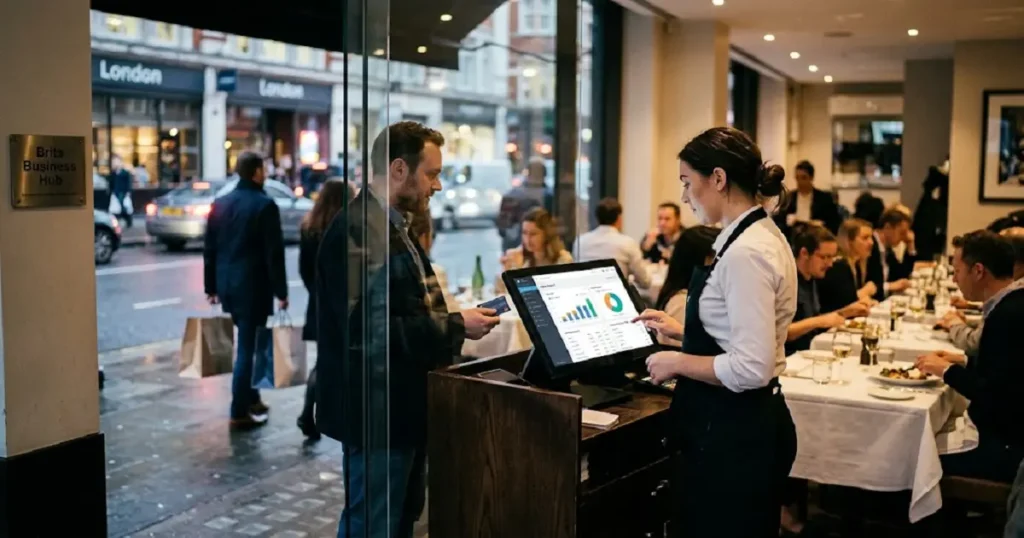
A hospitality EPOS system helps with sales reporting by recording every transaction automatically, separating cash from card sales, and breaking down revenue by item, staff member, and time of day. This removes manual counting errors and gives restaurant and bar owners accurate, real-time numbers they can trust without reconciling tills by hand.
If you run a restaurant, café, or bar, you already know how messy end-of-day totals can get. One minute the till looks balanced, and the next, your cash drawer is short by a few pounds and nobody can explain why. This is one of the most common frustrations hospitality owners face, and it usually points to a bigger issue: your sales reporting process isn’t built to keep up with your business.
A hospitality EPOS system changes that. Instead of manually tallying receipts or cross-checking card machine slips against a notebook, your EPOS records every sale the moment it happens. It separates payment types, flags discrepancies, and builds reports you can actually use to make decisions. In this post, we’ll look at why your totals might not be matching up, what to check before buying an EPOS, and how to pick the right one for clearer, more reliable reporting.
Why Does My End-of-Day Total Not Match My Cash and Card Figures?
This is one of the most common questions hospitality owners ask, and there’s usually a simple explanation.
Mismatched totals typically come down to one of these issues:
- Manual errors: Staff miscounting cash, misreading card slips, or skipping a step during a busy shift.
- Delayed card settlements: Some card transactions settle a day later, which can throw off same-day comparisons if your system doesn’t track this properly.
- Refunds and voids: If refunds aren’t logged correctly, they can create a gap between what the till shows and what actually left the drawer.
- Tips and service charges: These sometimes get recorded separately from the sale itself. Since 1 October 2024, UK employers must also pass tips on to workers under the statutory code of practice on distributing tips fairly, so your reports should show them clearly.
- Multiple payment splits: A table that pays partly by cash and partly by card can easily be logged incorrectly if the system doesn’t handle split payments well.
A hospitality EPOS system solves this by recording transactions in real time, at the point of sale, rather than relying on staff to tally things up later. Every cash payment, card payment, refund, and split bill gets logged automatically, so your end-of-day report reflects what actually happened, not what someone remembers happening.
What Should I Check Before Buying an EPOS for Better Reporting?
Before you commit to a new system, it’s worth checking a few specific things. Not every EPOS system handles reporting the same way, and the wrong choice can leave you with the same problems you started with.
Does it separate payment types automatically?
Your EPOS should split cash, card, and any other payment method (like vouchers or mobile wallets) without you having to do it manually. This is the foundation of accurate daily reporting.
Can you view sales by item, category, and staff member?
Good reporting goes beyond total revenue. You should be able to see which menu items are selling, which staff member processed which sale, and how sales trend by hour or day. This level of detail helps you spot slow periods, popular dishes, and staff performance patterns.
Does it handle refunds, voids, and discounts clearly?
Ask whether the system logs these as separate line items in reports. If refunds get buried or mixed in with regular sales, your numbers will never fully add up.
Can it integrate with your accounting software?
If your EPOS can export reports directly to tools like Xero or QuickBooks, you’ll save hours on manual bookkeeping and reduce the risk of transcription errors.
Does it offer real-time reporting, or only end-of-day summaries?
Real-time access means you can check how the day is going at any point, rather than waiting until closing to find out you’re short on stock or running behind target.
How to Choose a Hospitality EPOS Solution
Once you know what to look for, choosing the right system comes down to matching features to how your business actually runs.
Choose a cloud-based EPOS if you manage multiple locations or want to check sales reports remotely from your phone or laptop. Cloud systems update in real time and don’t rely on a single physical terminal.
Choose a system with built-in stock tracking if you want your sales reports to automatically reflect inventory use, which helps prevent over-ordering and reduces waste.
Choose a system with staff-level reporting if you want to track performance, upselling, or identify training gaps based on actual sales data rather than guesswork.
Choose a simpler, standalone EPOS if you run a smaller operation and don’t need multi-site reporting or advanced integrations. A more complex system in this case can slow your team down rather than help them.
Whatever you choose, make sure the reporting dashboard is easy to read. If you need a tutorial just to check yesterday’s totals, the system isn’t doing its job.
Get Clear Sales Reports with Brits Business Hub
Brits Business Hub works with hospitality businesses to set up EPOS systems that make sales reporting straightforward rather than stressful. Instead of chasing mismatched totals at the end of a long shift, you get clean, accurate reports that break down cash, card, refunds, and item-level sales automatically.
Brits Business Hub focuses on hospitality-specific setups, which means the reporting tools are built around how restaurants, cafés, and bars actually operate, not a generic retail template. If your current system is leaving you with more questions than answers, it might be time for a conversation about what better reporting could look like for your business.
Frequently Asked Questions
How much does a hospitality EPOS system typically cost?
Costs vary depending on the number of terminals, features included, and whether you choose a monthly subscription or a one-time purchase. Many providers offer tiered pricing based on business size, so it’s worth comparing a few quotes based on your specific needs.
How long does it take to set up a new EPOS system?
Setup time depends on the complexity of your menu and the number of terminals involved, but most hospitality EPOS systems can be installed and staff-trained within a few days to a week.
What are the risks of switching EPOS systems?
The main risks are data migration errors and a short learning curve for staff. Choosing a provider that offers hands-on setup support and staff training, like Brits Business Hub, helps minimize disruption during the switch.
Are there alternatives to a dedicated hospitality EPOS?
Some businesses use generic retail EPOS systems or basic card machines with manual logs. These can work for very small operations, but they usually lack the detailed, hospitality-specific reporting that helps larger venues manage stock, staff, and sales trends effectively.
Who benefits most from upgrading to a hospitality-specific EPOS?
Restaurants, bars, and cafés with multiple staff members, frequent split payments, or inventory-heavy menus benefit the most, since these are the areas where manual reporting breaks down fastest.